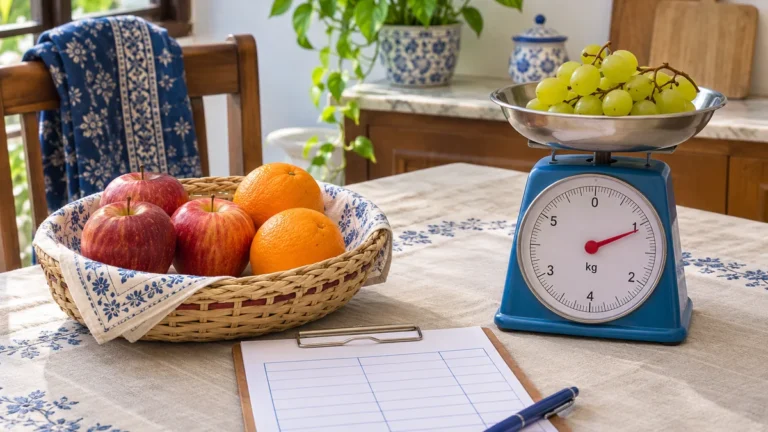
Fruit may be sold by kilogram, piece, dozen, tray, or fixed pack. A clear shopping record preserves the seller’s original unit, so the price and quantity remain understandable later and unlike measurements are never added together.
Start With the Unit Printed on the Fruit Offer
Copy the quantity and unit from the shelf label, package, or receipt. If apples are sold by kilogram, record kilograms. If oranges are sold as six pieces, record six pieces. This preserves what the price actually bought.
Keep the price basis in the same row. A price per kilogram is not a price per bag unless the bag’s net weight is known. A price per dozen means a set of 12 pieces, but it still does not state the mass.
Write the fruit variety or product description when it changes the comparison. Loose apples and a packaged premium variety may both be apples, yet the offers are not identical. The record should make that difference visible.
Keep Counted Fruit and Weighed Fruit in Separate Columns
Counted fruit answers how many pieces you bought. Weighed fruit answers the mass bought. Both can be useful, but adding six apples to two kilograms produces a number with no clear meaning.
Use separate quantity and unit columns, or one quantity column beside a required unit column. Never leave the unit blank. If a receipt shows only a pack, record one pack and copy any labelled count or net weight into a separate field.
For household use, you can later count pieces eaten or weigh a batch. Keep that use record separate from the purchase row unless the measurements describe the same fruit and period.
Compare Fruit Prices Only on a Shared Basis
Two offers can be compared directly when they use the same unit and describe reasonably comparable fruit. Divide each total price by its weight, piece count, dozen count, or pack count. Keep the result attached to that basis.
If one offer is per kilogram and another is per bag, read the bag’s stated net weight. When no net weight appears, weigh the full fruit contents after purchase or compare the complete offers without pretending the units match.
Do not assume a mango, banana, apple, or orange has one standard mass. Size, variety, ripeness, and seller sorting can change piece weight. A small local sample describes that sample only.
Create a Fruit Shopping Record That Can Be Reused
The CSV stores the date, fruit name, quantity, unit, package information, price, currency, seller, and notes. Replace the example row with the exact offer. Add a new row when the price, package, or selling unit changes.
Keep receipts or a short photo reference only when it is practical and does not expose private payment details. The record should be useful without depending on an image that may later be lost.
Record Fruit by Its Selling Unit
Use the CSV for weight, pieces, dozens, packs, and prices.
Handle Trays, Punnets, and Mixed Fruit Packs
A tray or punnet is a package description, not a universal quantity. Record one tray, then add the printed net weight or count. If the label lists neither, do not compare it with a kilogram offer using an invented conversion.
Mixed fruit packs need a product-level record. The total net weight may be useful, but it does not tell you the weight of each fruit inside. Record the mix as sold unless you actually separate and weigh the contents.
Check damaged pieces before accepting a counted offer when the seller allows it. Condition is a separate observation from quantity. A low price per piece does not describe quality or usable life.
Use the Fruit Calculator Without Changing the Selling Basis
The Fruit Quantity and Cost Calculator can plan purchases by mass, piece, dozen, or another supported basis. Select the unit that matches the way the fruit is sold and the way stock is counted.
Do not enter six pieces of stock against a kilogram demand unless you measured their mass. If you switch units, convert the demand, stock, package, and price together so the arithmetic keeps the same meaning.
Plan a Fruit Purchase With Clear Units
Bring the seller’s unit, usable household stock, package rule, and current price.
Avoid Common Fruit Record Errors
- Leaving the unit blank: every quantity needs weight, piece, dozen, or pack.
- Assuming a standard piece weight: measure the actual offer when conversion matters.
- Treating every tray as equal: record its labelled count or net weight.
- Comparing unlike varieties without a note: keep the product description visible.
- Changing only one side of a conversion: convert quantity, stock, package, and price together.
پھل کی گنتی اور وزن کے عام سوالات
پھل کا ریکارڈ کس اکائی میں بنائیں؟
دکاندار جس اکائی میں فروخت کرے، وہی لکھیں۔ کلو، گرام، عدد، درجن یا پیک کے لیے الگ اکائی واضح رکھیں۔
کیا چھ سیب ایک کلو کے برابر ہیں؟
ضروری نہیں۔ سائز اور قسم وزن بدلتے ہیں۔ درست موازنہ کے لیے اصل سیب ناپیں یا ایک ہی اکائی والی پیشکش دیکھیں۔
ٹرے یا پیک کیسے لکھیں؟
ایک ٹرے یا پیک کے ساتھ لیبل پر درج خالص وزن یا تعداد بھی لکھیں۔ اگر معلومات نہ ہوں تو اندازہ نہ لگائیں۔
فی عدد قیمت کب نکالیں؟
جب پیک میں موجود پھل کی درست تعداد معلوم ہو تو کل قیمت کو تعداد سے تقسیم کریں۔
کیلکولیٹر میں اکائی کیسے منتخب کریں؟
وہ اکائی منتخب کریں جو خریداری اور موجودہ ذخیرے دونوں سے ملتی ہو۔ اکائی بدلیں تو تمام متعلقہ مقداریں اور قیمت بھی بدلیں۔
Sources and Fruit Measurement Resources
Related Ration Planning Tools
Planning More Household Groceries?
Browse calculators for measured quantities, usable stock, package rules, and current costs.

Author and Founder