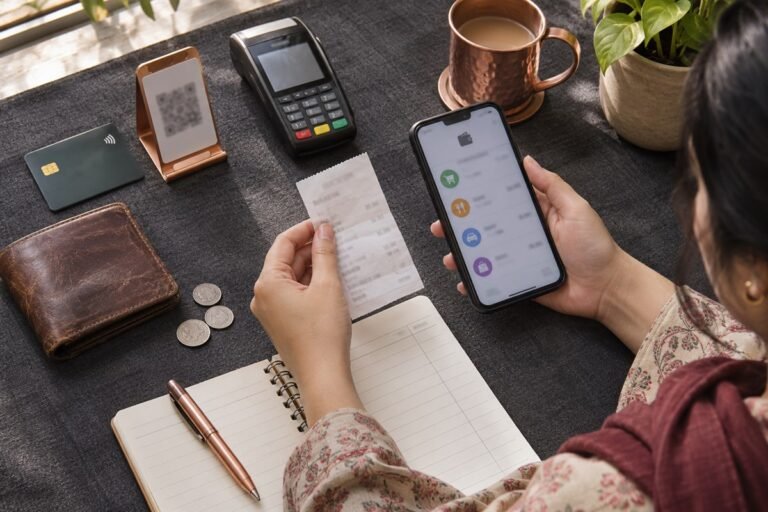
Your bank statement shows where money moved. A spending record shows what it bought. When you pay with cash, a card, and a mobile wallet, matching the records can prevent the same purchase from appearing twice. Every number in this example is fictional and in PKR.
Start With a Record for Each Way You Pay
Collect bank entries, wallet activity, receipts, and short notes for cash purchases. Select a start and end date, such as a payday to the following payday. Write the opening balance for each place you hold money before adding new transactions. If you keep a separate reserve, leave it separate or give it its own row so you can see when it was used.
The CFPB spending tracker uses receipts to gather spending by category. For this reconciliation, include the payment method as well as the category. That helps you tell how the purchase was paid even when the same shop appears in multiple records.
Enter Transfers Without Counting Them as Purchases
A cash withdrawal of PKR 5,000 moves money from your bank to your pocket. If you then use PKR 2,100 for groceries and PKR 700 for fares, those are the purchases. Counting the withdrawal and the two purchases as spending would incorrectly show PKR 7,800 leaving the household. The cash purchases actually total PKR 2,800. If you started with no cash, PKR 2,200 should be left.
The same rule applies to a PKR 4,000 wallet top-up. Enter one transfer out of the bank and a matching transfer into the wallet record. The funds stay available until you use the wallet to pay someone. If the transfer also costs a PKR 50 fee, record the fee separately as a real expense.
Match Wallet Purchases and Posted Refunds
In the example wallet, two posted purchases of PKR 1,350 and PKR 800 add to PKR 2,150. A partial refund of PKR 300 has cleared. The net wallet purchases are PKR 1,850 and the balance is PKR 2,150, starting from no balance before the PKR 4,000 top-up. The same number appears once as gross purchases and once as the final balance by coincidence. Keep the labels beside the figures to avoid mixing them up.
When a refund arrives, match it to the original purchase or order reference. Show it on the date it actually posts. You may want to use a refund line under the same category as the original purchase. If the seller only promises a refund, leave a note and keep it out of available cash until it clears. A return made near month-end can affect the following month's cash record even when the original expense was in this month.
Reconcile the Expected Balance With What You Can Count
Count the actual cash at the end of your period. If the record says PKR 2,200 but you find PKR 2,040, the difference is PKR 160. Look for a missing small purchase, a change error, or a transaction recorded twice. Write the gap down until you can identify it. A new spending category should reflect what you learn from the evidence.
Expected balance = opening balance + incoming transfers and refunds − outgoing transfers, purchases, and fees.
Check the wallet balance at the same cut-off time. Pending activity can make the displayed available balance differ from the posted list. Compare like with like and keep the pending item dated. If a failed payment reverses out of the wallet, check for both entries before calling either one an expense.
Total Spending After Removing Duplicates
Now add the purchases by category. The example has PKR 2,800 in cash purchases and PKR 1,850 in net wallet spending. The PKR 50 transfer fee brings the recorded total to PKR 4,700, before resolving the cash difference. The transfer totals stay visible in the account records while staying out of total household spending.
For a split grocery receipt, keep the receipt total as a check and split the items into the categories you use. If a household member is paying you back, record the full cash outflow on its date and note the expected share separately. When the reimbursement clears, match it against that cost. Avoid putting the same purchase in both a household category and a separate list of wallet expenses.
Match a Purchase Paid Two Ways
Suppose a single PKR 2,500 receipt was paid with PKR 1,500 from the wallet and PKR 1,000 in cash. Keep one PKR 2,500 entry in the grocery total and two payment entries tied to the same receipt. The two payment entries explain the changes in each balance. If you build the spending total directly from payment entries, leave out the separate receipt total. Choose one method and apply it throughout the sheet.
Keep a Short Weekly Reconciliation Routine
Start from the last date you know is correct. Work through one payment channel at a time and add a short reference like a date plus an order number. Keep the amount and type visible even if you skip long notes. You can combine the channel totals once their ending balances make sense.
Use the worksheet and keep one row for each event. If you need to share it with someone who helps manage the budget, remove account numbers and personal details. Move the verified category totals to your monthly plan. Leave an unresolved difference on its own line so you can check it again next time. The Consumer.gov budget worksheet provides a separate place to record the final category totals.
Download the Worksheet
Replace the fictional example rows with your own figures. Open the CSV in a spreadsheet or print it for a paper record.
اکثر پوچھے جانے والے سوالات
اے ٹی ایم سے رقم نکالنا خرچ ہے؟
یہ بینک سے نقد رقم کی منتقلی ہے۔ اصل خرچ تب لکھیں جب اس سے خریداری ہو۔
موبائل والیٹ میں رقم ڈالوں تو کیا لکھوں؟
اسے منتقلی لکھیں۔ اگر الگ فیس کٹی ہے تو فیس کو خرچ میں درج کریں۔
واپس آنے والی رقم کب درج کریں؟
جب رقم واپس آ جائے تو اسے اصل خریداری کے ساتھ ملا کر اسی تاریخ پر لکھیں۔
نقد رقم حساب سے کم ہو تو؟
فرق الگ دکھائیں اور چھوٹی خریداریوں کی رسید یا نوٹ دوبارہ دیکھیں۔
گھر کا خرچ جمع کرتے وقت کیا شامل کریں؟
خریداری اور فیس شامل کریں۔ اپنے کھاتوں کے درمیان منتقلی کو خرچ میں دوبارہ شامل نہ کریں۔
Sources and Further Reading
Related Budgeting Resources
More Household Budgeting Guides

Author and Founder