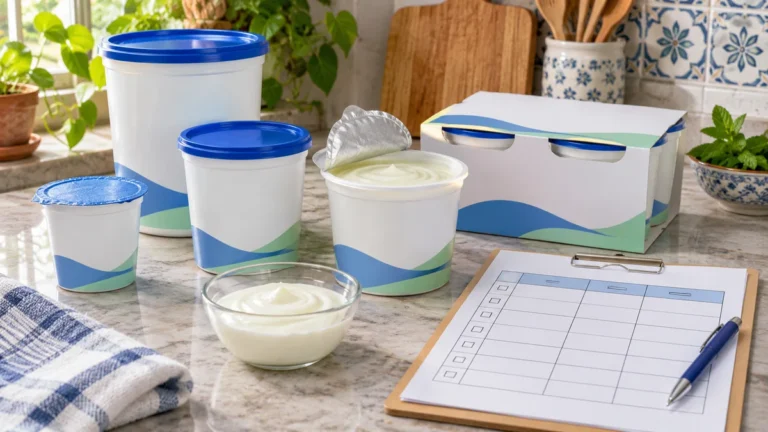
A yogurt package can show several different numbers: the number of tubs, net contents, serving size, servings per container, and price. These fields answer different questions. Recording them separately prevents one tub, one serving, and one multipack from being treated as the same unit.
Start With the Yogurt Package You Are Holding
Write the exact product name and container form before copying numbers. A large family tub, four-cup multipack, drinkable yogurt bottle, and single snack cup are different offers.
Punjab Food Authority guidance lists net content, ingredients, allergen warnings, and storage conditions among mandatory food-label fields. Use the printed package as the source rather than a remembered size from a previous shop.
Take one clear photo of the front, nutrition panel, ingredients, and storage statement when you need to compare later. Packages can change, so give every record a date.
Use the same product description on the receipt record and label record. A short flavor or fat-level note can prevent two different yogurt products from looking like duplicates during a later price review.
Separate Outer-Pack Count From Individual Tub Count
An outer multipack is one purchased bundle. The number inside tells you how many individual tubs or cups it contains. Record both values.
A “4 pack” can mean four tubs, but it does not tell you the amount in each tub. Find the individual net amount and any total pack amount that the label provides.
Do not multiply a count until the package relationship is clear. A cardboard sleeve, tray, or promotional bundle may contain several products or sizes.
Use Net Contents for the Food in the Container
Net contents describe the amount of food inside, excluding the container. Copy the number and unit exactly, such as 100 g per cup or 1 kg per tub.
For a multipack, record whether the printed net amount applies to each tub or to the whole bundle. If the label states both, keep both fields. Do not assume the largest number is the outer total.
Keep grams with grams and millilitres with millilitres. A yogurt’s mass and volume are not interchangeable unless the specific label or a verified measurement gives the relationship.
Keep Serving Size Separate From Shopping Quantity
The FDA explains that serving size reflects the amount people typically consume and is not a recommendation. It is the basis used for the Nutrition Facts panel.
One tub may contain more than one labelled serving, or a serving may equal one full small tub. Read “servings per container” beside serving size. These fields help interpret the panel, not the package count on your shopping list.
The CSV keeps outer count, inner count, tub net amount, serving information, storage, and allergen notes in separate columns.
When comparing two offers, first match the product form and package basis. A single large tub and several small cups may hold similar total amounts, but they create different opening, storage, and portioning choices.
Record a Yogurt Label
Copy each field without merging package quantity and serving claims.
Check Ingredients, Allergens and Storage Instructions
Read the full ingredient list and any allergen statement, especially when buying flavored or mixed products. FDA guidance identifies milk as a major food allergen in covered U.S. labels. Pakistani labels may also carry required allergen warnings.
Copy storage wording such as “keep refrigerated” or instructions that apply after opening. Do not replace the printed instruction with a general guess.
Use an official storage resource such as FoodKeeper for general reference, but treat the product’s own directions and local food-safety advice as the first practical check.
Use the Yogurt Calculator After Reading the Label
The Yogurt Quantity and Cost Calculator uses the purchase quantity, stock, package rule, and price values you enter. The label record supplies the correct package basis.
Choose whether the seller prices one tub or the whole multipack before entering the price. Keep the serving-size number out of the package-size input unless both are truly the same stated amount.
Plan the Yogurt Purchase
Bring the verified tub size, inner count, current stock, seller price basis, and storage needs.
Avoid Common Yogurt Label Errors
- Treating one multipack as one tub: preserve outer and inner counts.
- Using serving size as net contents: the two fields serve different purposes.
- Missing the price basis: confirm whether price is per tub or bundle.
- Ignoring storage wording: copy the product’s instructions.
- Assuming grams equal millilitres: use only a stated or measured relationship.
دہی کے پیکٹ کے عام سوالات
ملٹی پیک میں کون سی گنتی لکھیں؟
باہر کے پیک کی گنتی اور اندر موجود کپ یا ٹب کی گنتی الگ لکھیں۔ دونوں ایک ہی اکائی نہیں ہیں۔
نیٹ وزن کیا بتاتا ہے؟
نیٹ وزن برتن کے بغیر اندر موجود دہی کی مقدار بتاتا ہے۔ دیکھیں یہ مقدار ایک ٹب کی ہے یا پورے ملٹی پیک کی۔
سرونگ سائز خریداری کی مقدار ہے؟
نہیں۔ سرونگ سائز غذائی لیبل کی بنیاد ہے۔ خریداری کے لیے ٹب کا نیٹ وزن اور ٹبوں کی گنتی دیکھیں۔
الرجن کی معلومات کہاں ملتی ہیں؟
اجزا کی فہرست اور الرجی بیان دونوں پڑھیں۔ دودھ سے حساس فرد کے لیے صرف سامنے کا نام کافی نہیں ہوتا۔
کیلکولیٹر میں قیمت کیسے ڈالیں؟
پہلے معلوم کریں قیمت ایک ٹب کی ہے یا پورے ملٹی پیک کی، پھر اسی پیکج بنیاد کو کیلکولیٹر میں استعمال کریں۔
Sources and Yogurt Label Resources
View 4 Sources
- Punjab Food Authority. Mandatory Food Label Requirements
- U.S. FDA. Serving Size on the Nutrition Facts Label
- U.S. FDA. Food Allergies and Food Labels
- FoodSafety.gov. FoodKeeper App
Related Ration Planning Tools
Planning More Household Groceries?
Browse calculators for measured quantities, usable stock, package rules, and current costs.

Author and Founder